


For a decade the nomad workstation had one rule: more screens, more output. That rule is dead, and AI killed it. Agents moved you from typing every line to reading, reviewing and directing. The moment your job became judgment, the second monitor stopped being the upgrade. Posture became the upgrade instead.
I have run this experiment on the road for a year, first with a three-screen backpack desk, now with one screen and a $30 stand. The second setup is lighter, faster to set up, and the only one my neck can survive. Here is what actually changed, and the protocol that keeps a mobile body working.

The Shift: Your Job Stopped Being Typing
Agent-first tools changed the shape of a coding session. Cursor 3 runs up to eight agents in parallel, each on its own git branch, with a translucent overlay that shows what every agent is doing. OpenAI’s Codex can operate your computer, hold memory across sessions, and schedule its own future work. JetBrains Air puts multiple agent sessions in one pane. Mastra Code claims it never compacts, so a long session does not fall apart when the context window fills.
The practical result: I spend less time dragging windows and more time reviewing diffs, reading feedback, and deciding what ships. Linear reported 30% more pull requests and 33% more issues closed within weeks of standardizing on agents. The bottleneck moved from typing to context and judgment.
That is the part the “buy a bigger monitor” crowd misses. When your day was twelve open windows you physically rearranged, more pixels helped. When agents hold the windows and hand you a result to judge, you need one clean surface and a screen at the right height. The rest is headroom for a bigger render queue.
Why “Fewer Screens” Is the Right Call on the Road
There is a real counter-argument. Some developers now run six to ten agent windows at once and swear by ultrawides to see them all. Fair. But ultrawides live on desks, and nomads do not have desks. We have cafe tables, Airbnb counters, and tray tables.
The weight math settles it. A 15-inch portable monitor adds about 1.5 to 2 pounds plus a sleeve, and it is the single most breakable item in the bag. Ask anyone who has carried one for a year and you will hear the same story: a cracked panel, a loose USB-C port, dead pixels from backpack pressure, $300 gone. Meanwhile dual-screen productivity gains of 20 to 30% apply to fixed workflows, not to a table that is two feet wide.
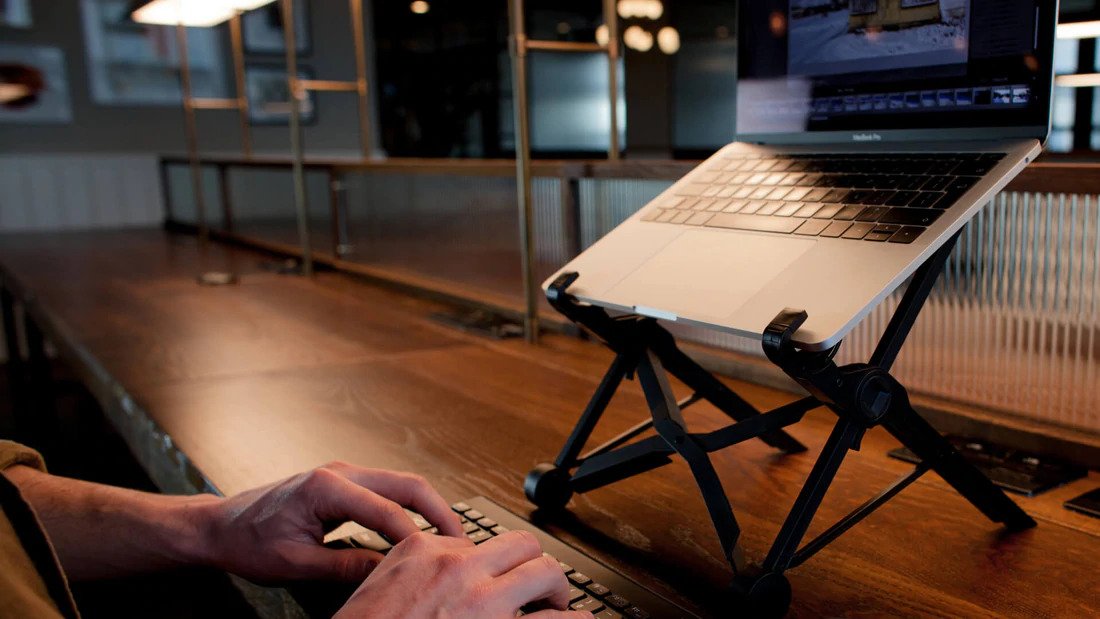
One good screen at eye level beats two screens at the wrong height. And that is the real gap in most nomad setups, because it has nothing to do with displays at all.
The Problem AI Did Not Fix: Your Neck
A laptop flat on a table puts the screen roughly 10 to 15 inches below your eyes. To read it you tilt your head forward 20 to 40 degrees, and biomechanics punishes that. Every 15 degrees of forward head tilt adds about 10 to 12 kilograms of effective load on the cervical spine. At 60 degrees, the angle most people hold over a low laptop, the load approaches 27 kilograms. Your neck muscles are built to hold a 5-kilogram head, not a 27-kilogram one.
Run that for a few weeks and you get afternoon headaches and upper-back tension. Run it for years and you get the chronic version. The fix is embarrassingly cheap: a laptop stand to raise the screen, and an external keyboard so your hands stay low. That combination alone clears most of the pain. One review of office workers found sit-stand usage cut upper back and neck pain by 54% over four weeks. A laptop stand plus keyboard was enough to send a nomad’s daily headaches from three a week to zero.
Standing: The Evidence, Without the Hype
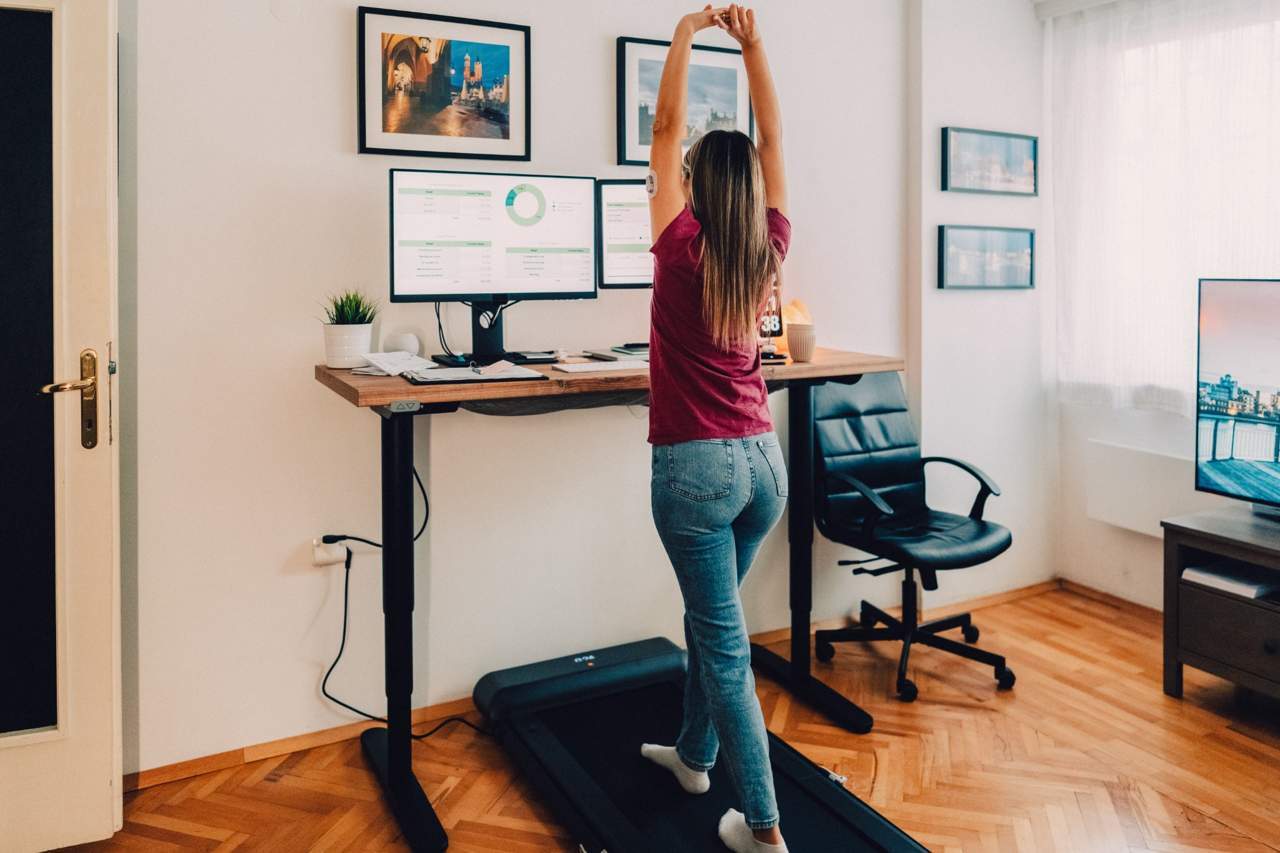
Here is where most articles lie. Standing all day is not better than sitting all day. It is differently bad. Static standing loads your knees, plantar fascia, and lower back, pools blood in your legs, and raises varicose vein risk. The 2018 ergonomics consensus put it plainly: replacing sitting with standing is not the fix. Replacing static posture with dynamic posture is.
Read that again, because it changes what you buy and how you use it. The real benefit of a standing desk is the transitions. The research converges on a simple rhythm: change posture every 30 to 45 minutes, keep a rough two-to-one sitting-to-standing ratio rather than fifty-fifty, and let even one or two minutes of movement do the work. No single positioning, seated or standing, should run past an hour.
Two more numbers keep you honest. Standing burns only about 8 to 10 extra calories an hour, barely a third of a banana over a full work block, so treat this as a circulation play and ignore the calorie math. And standing on hard flooring without a mat produces real discomfort inside 30 minutes, which is why an anti-fatigue mat is not optional if you plan to stand at all.
The Nomad Standing Setup That Fits in a Bag
You do not need a motorized desk to stand on the road. Two options do the job.
The cheap hack: a sturdy laptop stand at full height on a counter or a shelf, or a stack of books, and you are standing with the screen near eye level. Most nomads who “stand” while traveling do exactly this and never buy anything special.
The purpose-built option: a folding sit-stand laptop platform such as the MOFT Z, which opens to a genuine ten-inch standing height, folds to half an inch flat, and weighs around 1.5 to 2.5 pounds. It is heavier than a stick stand, but it replaces a piece of furniture that no Airbnb has.
If you work from a fixed base for a month and want a third mode, a walking pad is tempting. Be honest about what it is for. Walking at 1.5 to 2.5 miles per hour during a call or while clearing email works and keeps you sharp. Typing and deep focus do not survive it. A controlled study found treadmill walking measurably hurt typing speed, mouse accuracy, and working memory on demanding tasks. Use the pad for the talky parts of the day and step off for the hard parts.
The Protocol I Actually Run
The desk is infrastructure. The behavior is the intervention. This is the whole routine.
- Seated for deep work. Two-hour focus blocks stay seated. Do not break a flow state to prove you can stand.
- Stand for the next task. When the focus block ends and you move to reviews, PR comments, or calls, stand for that stretch.
- Walk for calls. Listening-heavy meetings go on the walking pad or a slow lap of the flat. Talking heads do not need a chair.
- Change every 30 to 45 minutes. A timer is as valuable as the stand. Two transitions an hour, minimum.
- 20-20-20 for the eyes. Every 20 minutes, look 20 feet away for 20 seconds. The AI review loop is a screen loop, and your eyes pay for it too.
The posture checklist is short. Screen top at or slightly below eye level, so the top edge is level with your eyebrows. Elbows near 90 degrees. Wrists neutral, not cocked up. Weight even on both feet. Knees soft, never locked. Anti-fatigue mat if you are standing on tile or concrete.
Gear That Earns Its Weight
Ranked by return on the grams it costs you.
- A laptop stand. The foundation. The Roost V3 weighs about 6 ounces and folds to the size of a rolled magazine; the Nexstand K2 costs $35 and gets the screen just as high. This is the highest-value weight in your bag.
- A compact keyboard and mouse. Mandatory, not optional. Raising the screen without them just trades a neck hunch for a shoulder shrug. Under a pound for both, and it completes the ergonomic fix.
- An anti-fatigue mat only if you stand. Skip it if you never stand for long. Buy it the day you start.
- A portable monitor: skippable now. With agents holding the windows, the second screen is the first item to leave the bag. If you keep one, keep it for a month-long base, and never for cafe days.
That core kit, a stand and a keyboard and a mouse, weighs under two pounds and costs less than a few days of coworking. It fixes the problems that actually take people off the road.
Field Notes
AI did not give you less to do. It moved the work upstream, to taste and judgment, and judgment does not care how many screens you own. What it cares about is whether you can still think clearly at hour six, and that is a spine question, not a pixel question.
Buy the stand before the second monitor. Stand for the talking, sit for the thinking. Change position on the clock, not on a feeling. Do that and the light setup stops being a compromise. It becomes the setup you would choose even with a desk and an outlet in front of you.

1 Comment
Pingback: American Nomad in Lisbon: Fado, Cobblestones, Pipelines